Roflow Release Notes
Roflow V12.3
We've introduced new variable types and an all-new AI conversational experience ✨
Please upgrade your robot to KebbiOS 12.3 or later to enjoy full functionality.
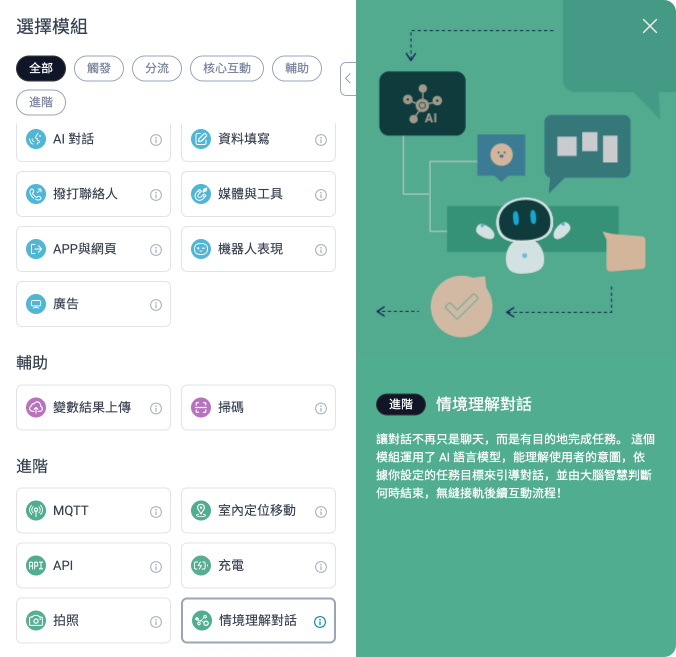
1・Context-Aware Dialogue✨
*This feature requires NUWA GenAI to be activated for use.
AI automatically determines when a conversation ends, making interactions more natural and keeping them on the same topic.
When paired with Trainkit’s training data, the robot will quickly provide an initial response (e.g., “Let me think about it”) while displaying the problem being processed on the screen.
2・Global Variable✨
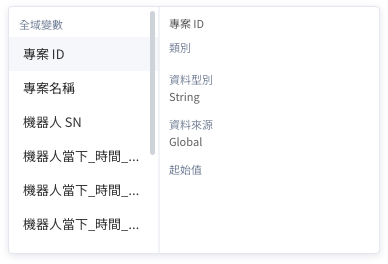
Global variables are storage values available to any module that supports variable functionality. They are suitable for recording shared information such as project IDs, robot serial numbers, or the current time.
3・Retained Variable✨
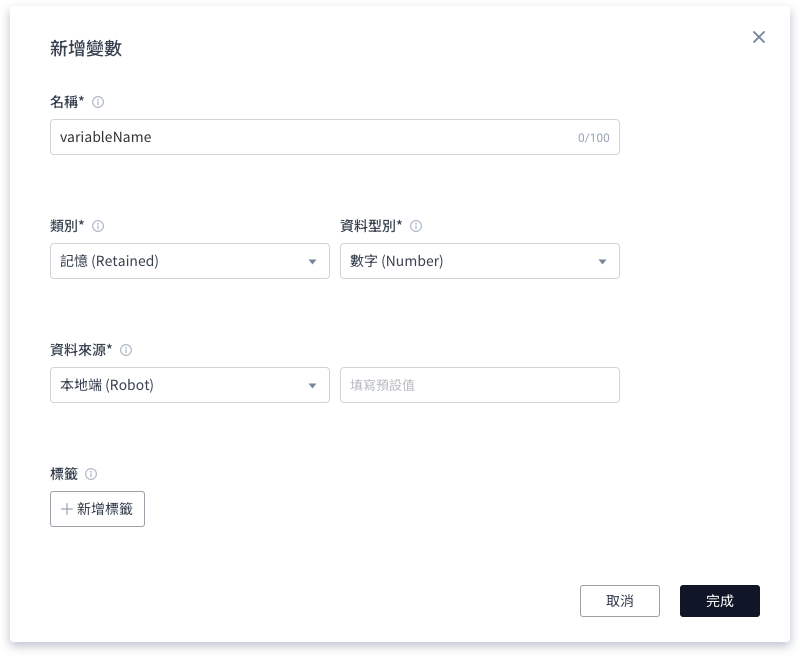
A new variable type. Unlike regular variables, “Retained Variables” retain their stored values after a process completes and can be used in subsequent processes. They are suitable for processes requiring long-term data retention.
4. More modules support variable settings
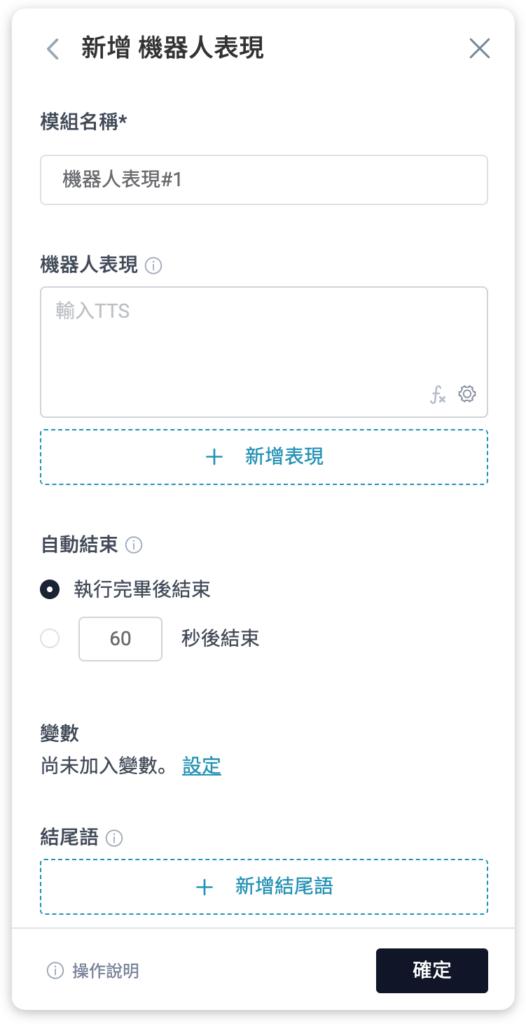
More modules now support variable settings, such as Media and Tools, Robot Expressions, and other modules.
5. Module Churn Rate
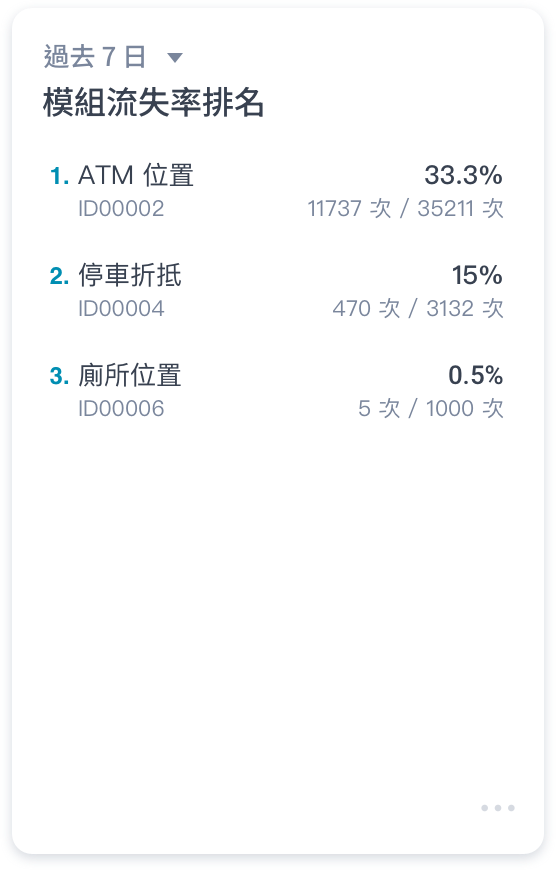
On the service data page, we’ve optimized the original “module bounce rate” metric to “module churn rate,” with “no response” as the sole indicator. This helps you pinpoint precisely where in the process customers are disengaging, enabling you to determine whether module content adjustments are needed.
6. Temperature Format in the Forms Module
To accommodate visitor reception scenarios, we have added a “Body Temperature” entry field to the data entry module, supporting both Fahrenheit and Celsius units for convenient visitor input.
Roflow V12.2
We've launched Flow Template and other tools to enhance your experience—making the design process super convenient! ✨
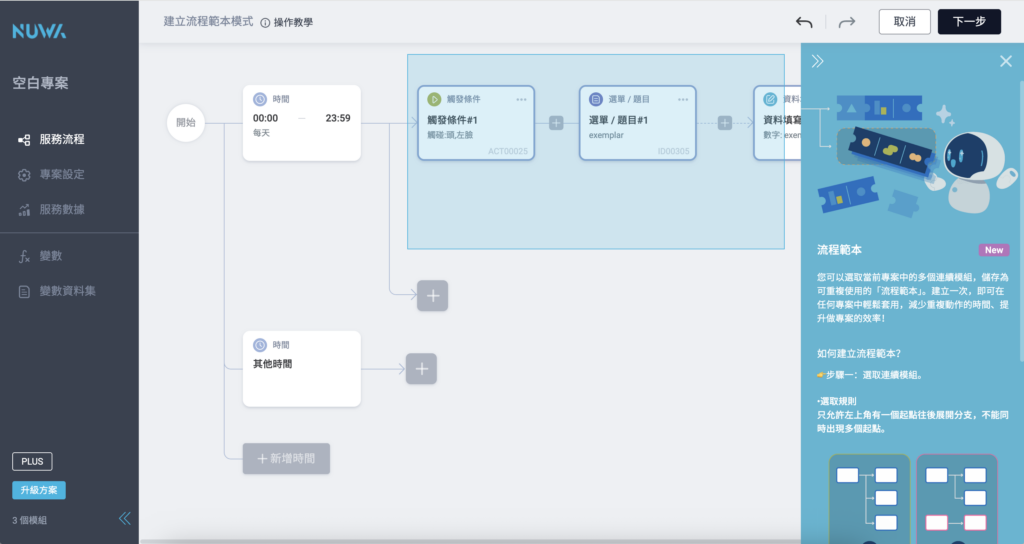
1・Flow Templates ✨
Select multiple consecutive modules you frequently use and save them as a template that can be reused across different projects. For detailed instructions, see:Flow Template
2・Find and Replace ✨
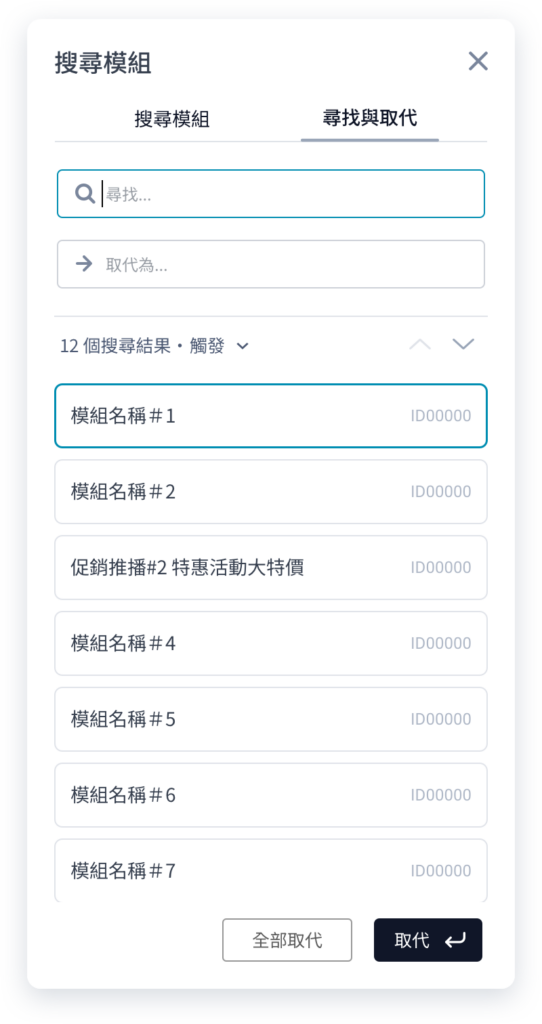
Supports quick search and replace. You can click the “Search” button in the bottom-right corner of the process canvas. Switch to the “Find and Replace” section on the right to enter keywords and replace them with new text.
Roflow V12.1
We have optimized the project deployment process and launched a brand-new module ✨
1・Remote Media Player ✨
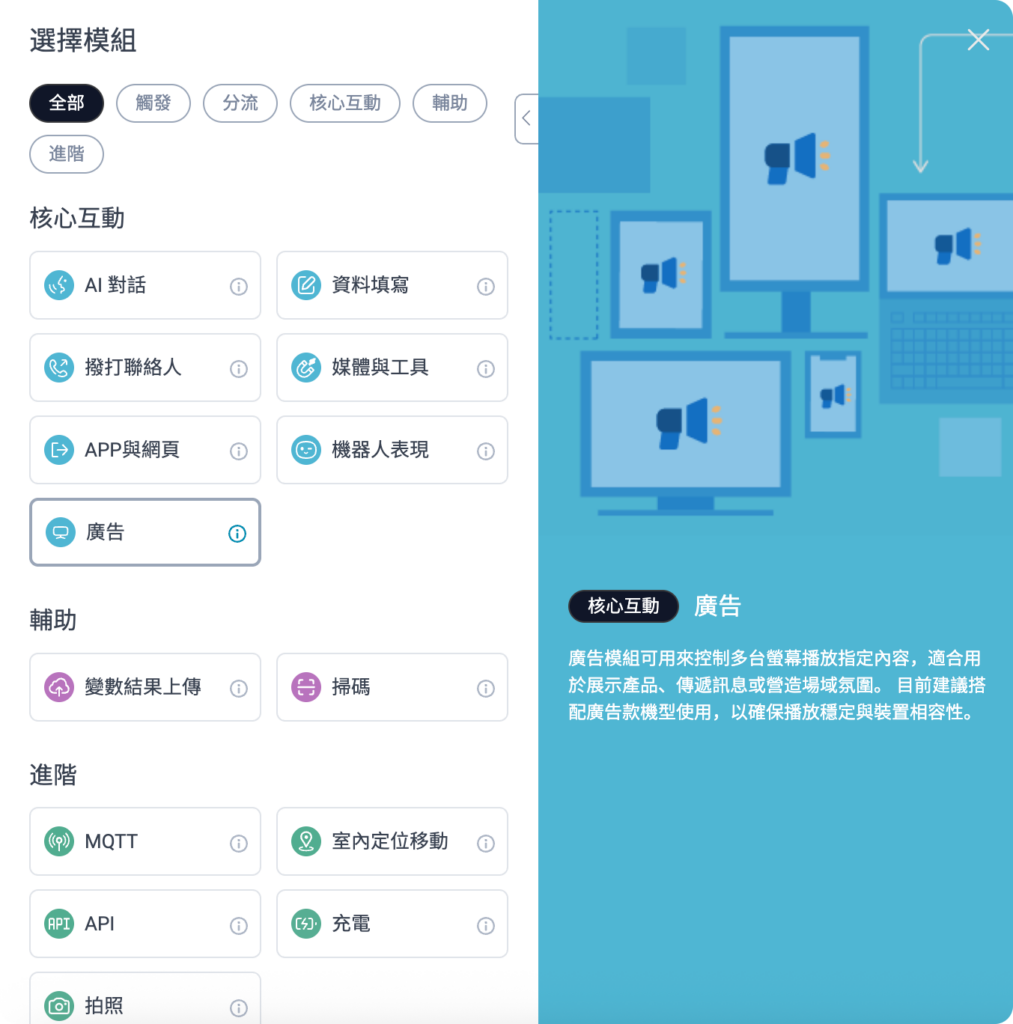
In the Remote Media Player, you can configure the media playlist and set playback rules. When the Collibot dual-screen robot executes this module, it will play the media assets in the specified order.
2・Project Name in Progress
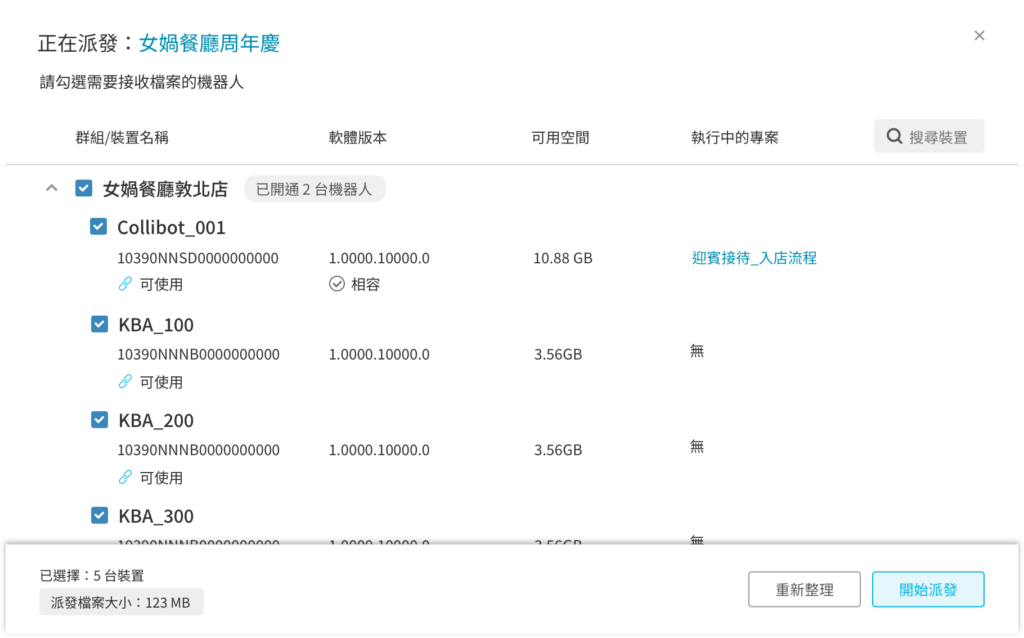
In the Deploy Projects window, you can now view the project name currently running on a specific robot in the far right pane.
Roflow V12.0
To enhance version consistency and maintenance efficiency, the Roflow web version will be upgraded directly from v10.0 to v12.0.
All original v11 features have been fully integrated into v12.0, so you won’t miss out on any previously developed functionality.
This upgrade will not affect your existing web settings; the operation methods and usage processes remain unchanged.
To use the latest features with your robot, please ensure the robot’s operating system is updated to the corresponding version (KebbiOS 12.2.1 or ServiceOS 1.4.1).
We've enhanced traffic routing capabilities across multiple modules and introduced two new modules in the PLUS plan ✌️
1. Shared Permissions Optimization
I. Adjustment of Default Permissions for Resources
- Starting with V12.0, all assets uploaded to the team repository or modules will have their default permissions set to “Shared: View Only.”
- If the material contains confidential or sensitive information, please manually adjust its sharing settings in the resource library after uploading.
II. Newly Added “Shared Editing” Type Replicas
- To streamline team collaboration workflows, we’ve introduced the new “Shared Editing Copy” feature.
- You can choose whether to share assets when creating a copy. If you are the asset uploader, you can also enable sharing permissions with a single click for faster and more convenient operation.
III. Scope of Project and Material Sharing
- When you enable sharing, the system will share to “All groups you belong to” by default.
- If you need to configure group permissions individually, please adjust the settings separately.
- Team owners should pay special attention to relevant permission management.
4. Personnel Data Upload Consent Statement
- To protect user rights and clarify mutual understanding regarding the use of facial data, the system will display the “Upload Consent Statement” when uploading personnel photos for the first time.
- Please read carefully and confirm your agreement before proceeding with subsequent operations.
2・NEW ✨ Roflow Extensions
✨ Form Editor: The Bridge for Data Collection and Interaction ✨
The first wave of extensions launched is the “Form Editor,” which helps you design custom forms within your workflows and flexibly apply them to various visitor interaction scenarios:
- Design your own form content, allowing visitors to fill it out and complete the check-in process.
- After the form is submitted, you can set up automatic notifications to designated staff based on specified conditions, or have a robot directly call them to make contact.
- Suitable for diverse needs such as visitor management, surveys, and event registration.
V 11 update
Enhance your user experience and expand functional flexibility with two new modules. Introducing quick intonation, along with optimized system stability and flexible sharing permissions. Give it a try!
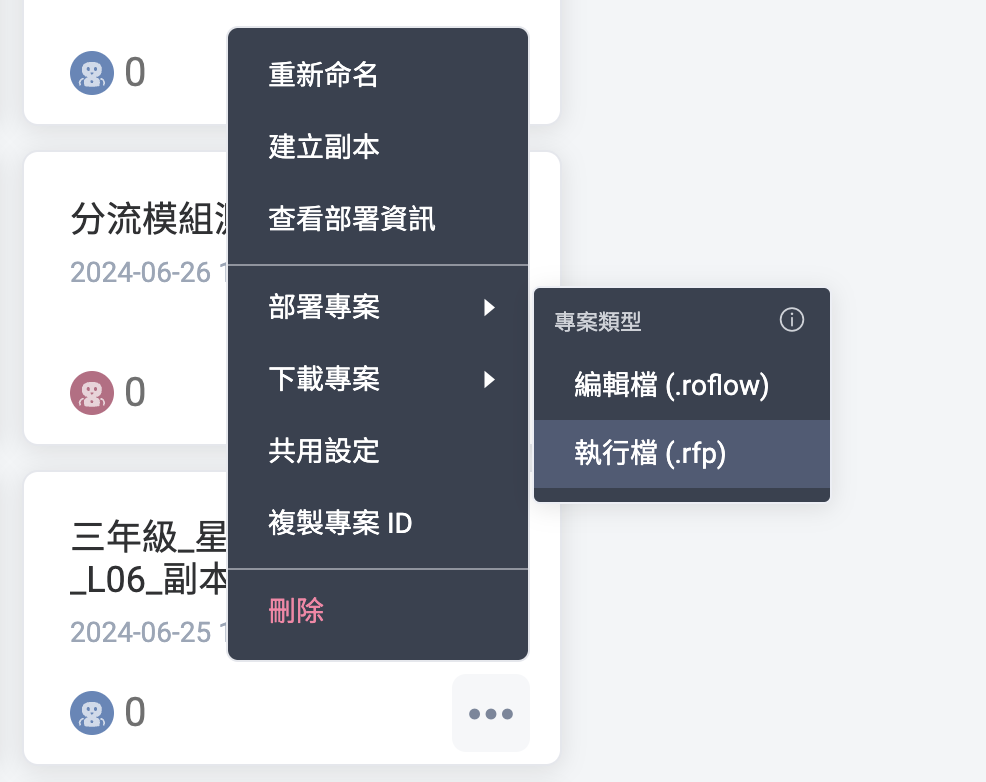
1. Supports Roflow execution files
2・New variables value added
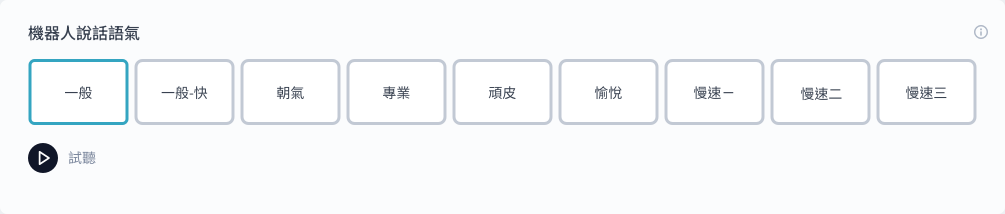
3. New Speaking Speed Options
4. Remove Roflow projects remotely

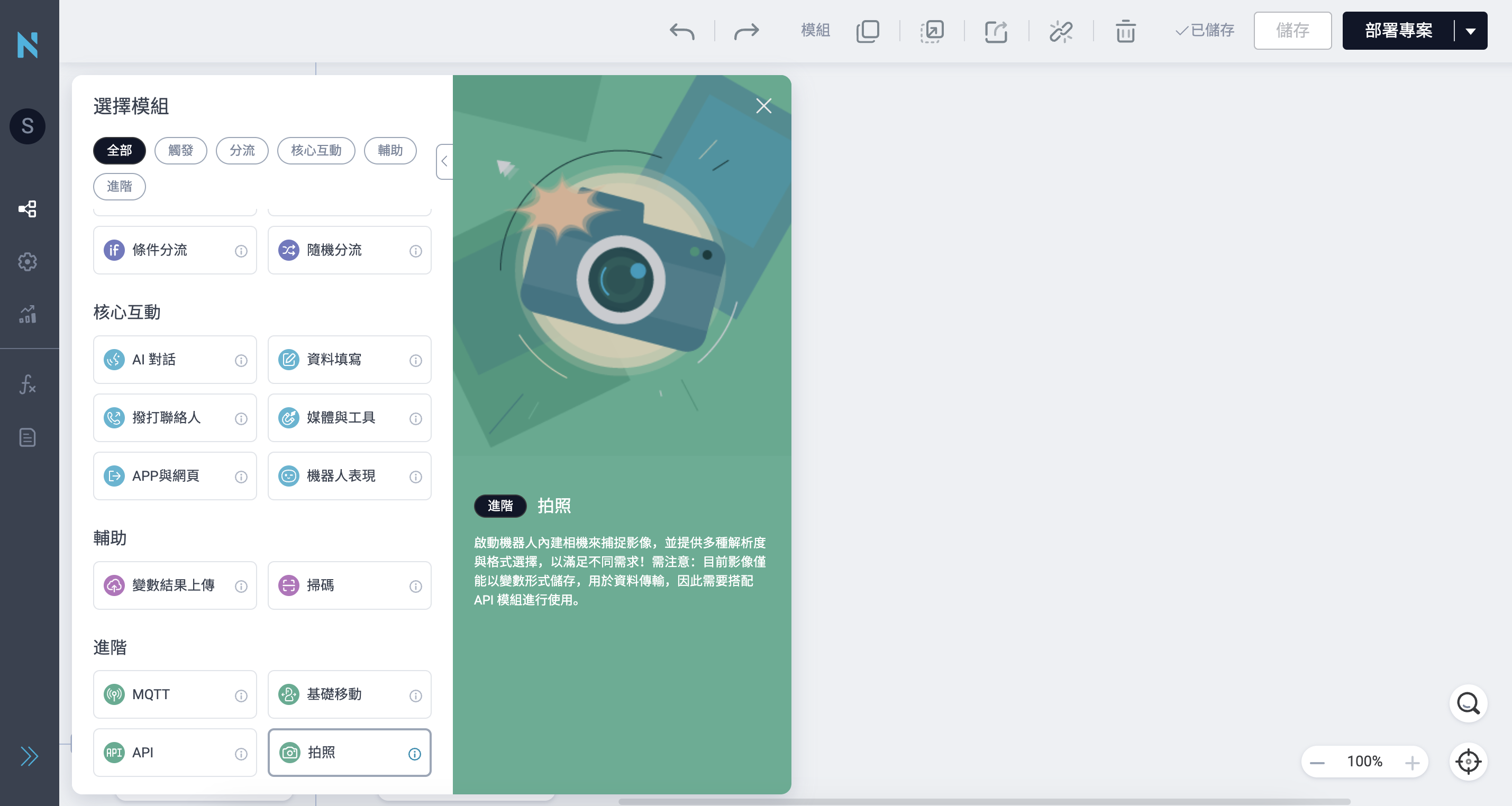
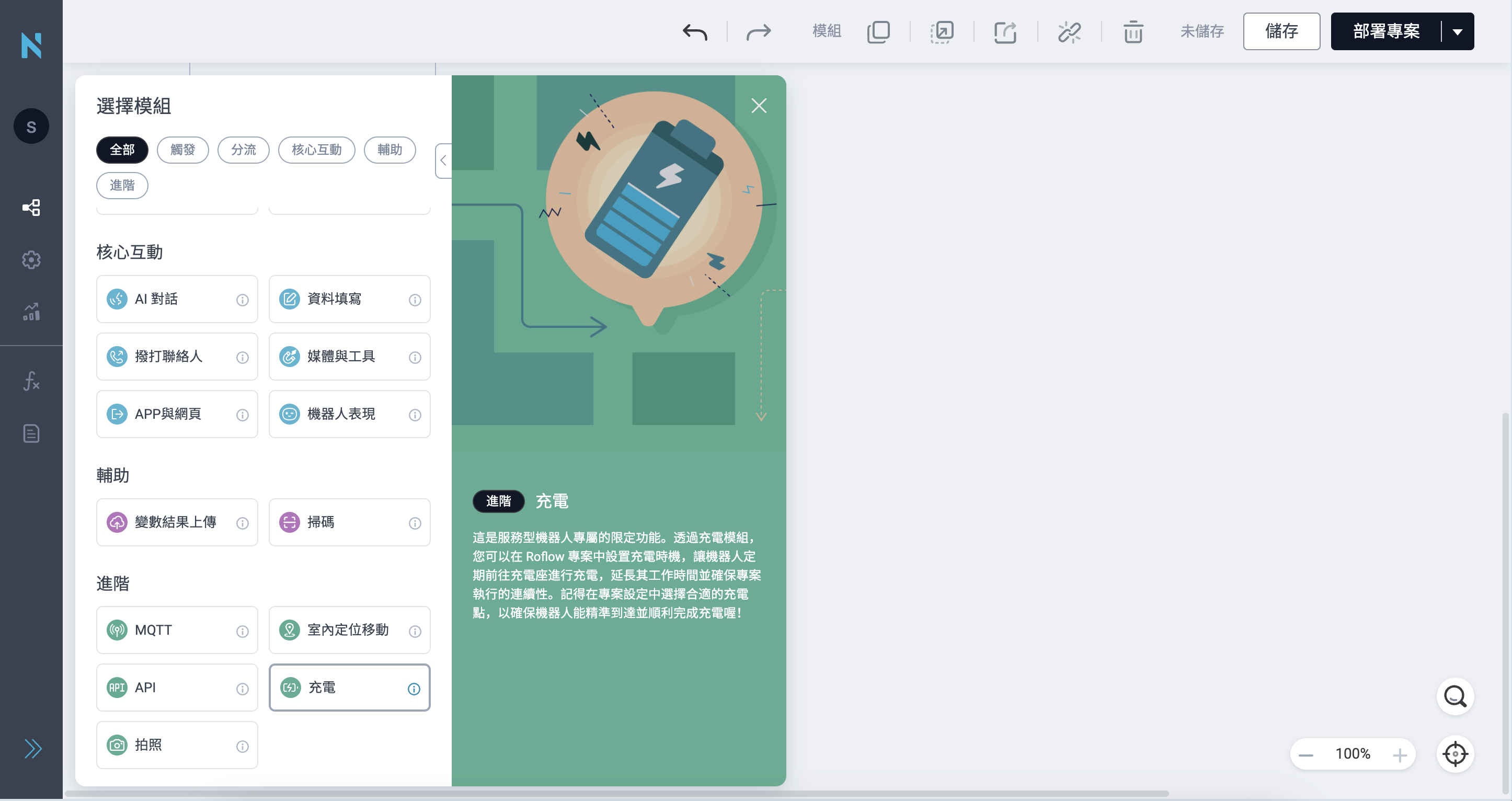
5. New modules
Camera
Recharge(Collibot)
6. More Enhancement
- Enhanced Dialogue Model Diversion Capability
The maximum number of routing options has been increased from 20 to 50 to accommodate more complex workflows, and new explanatory text has been added to facilitate quick adoption. - Improve the voice reply field while thinking
In AI dialogue modules, multiple voice responses can be configured to fill pauses during response waiting periods, enhancing interaction effectiveness. - Automatically Delete Idle Projects Prompt
Based on your settings in the remote monitoring console, the robot now displays text and notifications reminding users about project idle time and impending deletion, ensuring no data is overlooked. - Menu Module supports multilingual operation
Offers voice selection functionality and supports multilingual listening and command operation, ensuring a seamless user experience for global users.
💡 While projects can specify a language, the bot’s system language must also be compatible! - NUWA Contact Module Optimization
Adjust display field names to support displaying relevant information entered during the process when making calls. Additionally, support variable functionality to enhance the convenience and flexibility of applying names or titles. - Service Data Enhancement
Adjust the card view mode and improve the layout to present key information more intuitively, delivering a clearer and smoother reading experience. - Customize QuizDash Launch Method
In the Media and Tools module, you can configure how QuizDash games launch, including play modes and auto-on/off features, to create a seamless and smooth gaming experience!
V 9.0 update
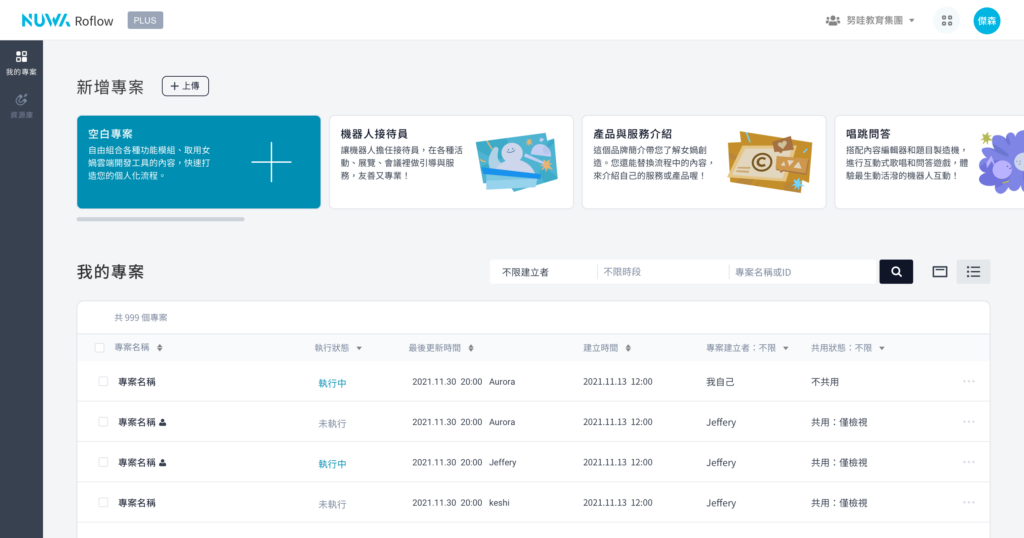
1. More Efficient Project Management
Is your project list getting overwhelming? We now support list view, allowing you to switch between different viewing modes anytime. Additionally, you can search for projects using project keywords or project IDs, and perform searches and view changes on the right side of the project title.
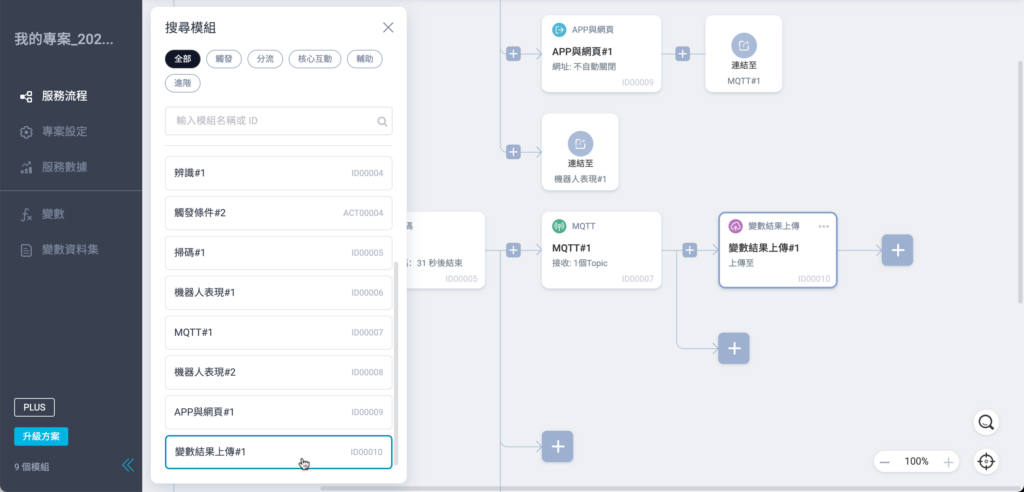
2. Quickly Search for Modules in the Workflow
Starting now, you can search and quickly locate modules within service workflows! Simply click the “magnifying glass” button at the bottom right of the screen to filter by module type or enter module name keywords or IDs to search for modules.
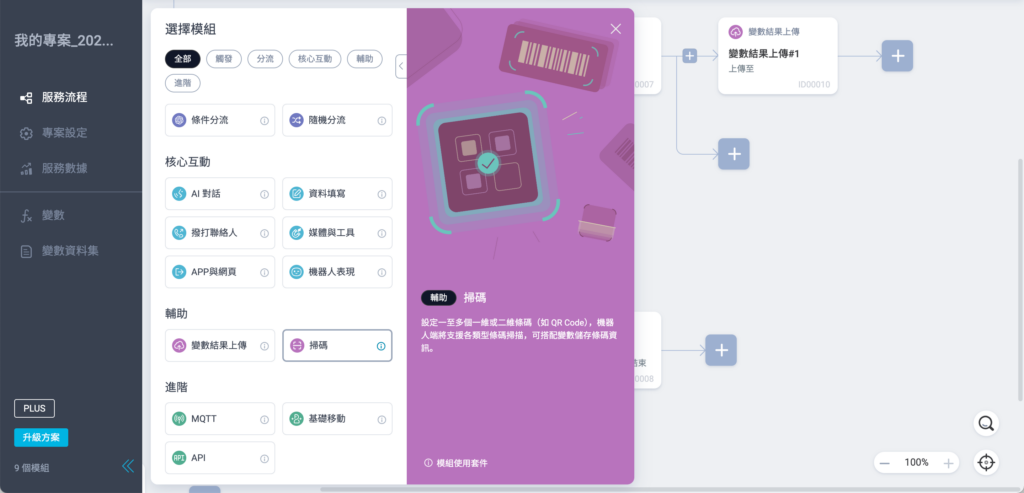
3. New Features and New Modules
To support more diverse robot service applications, we have introduced more powerful advanced features in the PLUS Professional/Team Edition:
● Scan Module
It supports scanning various types of barcodes, QR codes, etc. You can add variables within the module so that after scanning, the data is stored in the variable on the robot.
● API Management API Module
Create frequently used API data in the Roflow library, and add API modules to your project to share information across different applications, services, or systems. It is recommended to have basic programming knowledge or assistance from a technical person when using this feature.
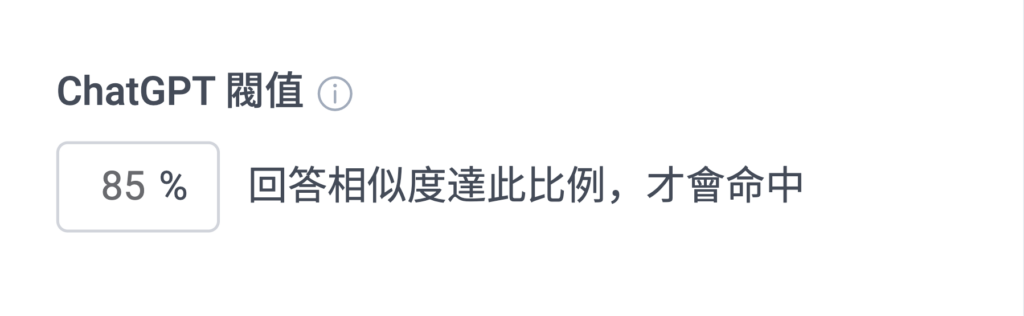
4. Customize ChatGPT Threshold
5. Three New Robot Speaking Tones
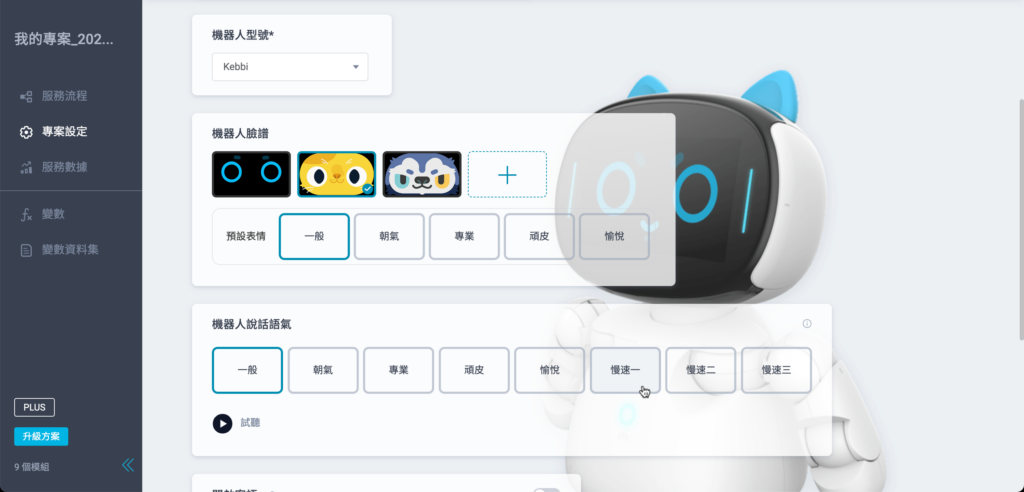
6. Updated Robot Speech/Listening Language Options
Traditional Chinese:zh-TW
Traditional Chinese(HK):zh-HK
Simplified Chinese(CN):zh-CN
Simplified Chinese(SG):zh-SG
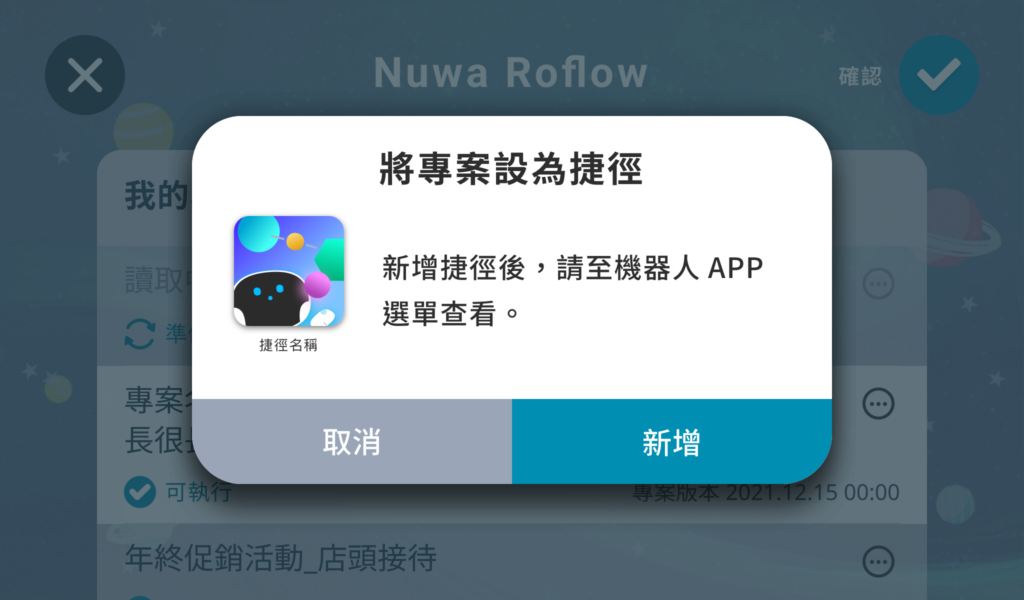
7. Set Projects as Shortcuts on the Robot
8. Service Data Optimization
The related data of “Conditional Branch Module” can also be viewed in the service data tracking of the project.
In Edit Mode, you can set up Specified Modules to customize the data sources you want to view to focus on tracking data from specific modules.
Roflow V8.0
1・NEW ✨ Conditional Branch Module
2・NEW ✨ Random Branch Module
3. Apps and Websites Module
4. MQTT supports receiving messages in JSON format.
5. More Flexible Flow Design for No Response Situations
● Onscreen Menu
● Audio Q&A
● Touch Service
● Password
● Forms
● ChatGPT Q&A